BusWhere for Schools
- 4.4
- Rating
- 10.00K
- Installs
- Free
- Price

 Analysis by App-foxy
For families whose mornings revolve around a school-bus timetable, BusWhere for Schools solves a very specific problem: knowing whether the bus is approaching before sending a child outside to wait. I found it most useful as a practical tracking tool rather than a full navigation service. Its value depends heavily on whether the child’s school or transport provider uses the BusWhere system, but when that connection is available, the app can make a routine pickup feel much less uncertain.
My overall view is straightforward: this is a focused app for checking a school bus location and estimated arrival at a stop, not an alternative to Google Maps, Apple Maps, or a general public-transit planner. That narrow purpose is also its main strength. It does not try to cover every journey, route, or transport network. Instead, it concentrates on the moment parents and students care about most: is the bus coming, and how long should I wait?
What using BusWhere feels like in everyday school routines
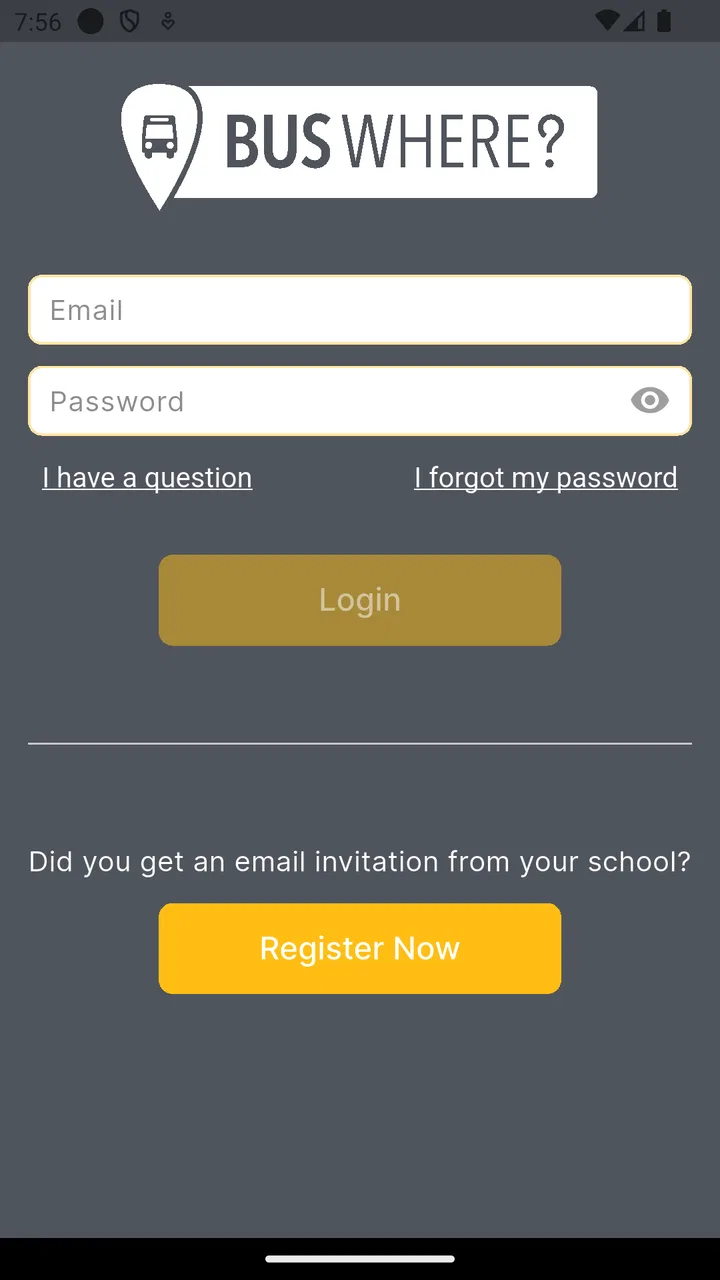
The first thing I would explain to a friend is that BusWhere is only useful after the relevant school-bus service has been connected to it. Installing a tracking app alone does not create a route or reveal a vehicle. The school or transportation organization needs to use the BusWhere platform, and the user needs the correct access details for that service. That is an important practical condition, because someone looking for a universal school-bus tracker may otherwise expect it to work immediately for any district.
You May Also Like

 Blood Strike: 2.5 Anniversary
Blood Strike’s Loadouts Turn Every Drop Into a Tactical Gamble
A close look at Blood Strike’s custom loadouts: how fast access to signature weapons reshapes its battle royale rhythm, rewards preparation, and narrows the gap between fights.

 Pandora - Music & Podcasts
Pandora’s Music Is Easy to Start, but Harder to Recover
Pandora’s strength is its low-effort path from a seed to a station. Its weak spot is how much confidence it asks you to place in connection, setup, and quiet recovery.

 8 Ball Pool
 Is Built on Rivalries, Rematches, and Routine
A close look at the rivalries, rematches, shared routines, and unanswered safety questions that turn a quick pool match into a persistent mobile community.

 Samsung Music
’s Quiet Strength Is Playing What You Already Own
Its reach comes less from spectacle than from dependable access to a personal library. That simplicity is both the app’s strongest retention engine and its ceiling.

 AccuWeather: Weather Radar
AccuWeather Review: A Quick, Clear Forecast for Everyday Decisions
For everyday plans, the best forecast is the one you can understand quickly. AccuWeather makes rain timing, radar, and local conditions easy to act on, with a few trade-offs.

 Hill Climb Racing
Why Hill Climb Racing Still Turns Crashes Into One More Run
A tiny car, a bumpy hill and one more upgrade: Hill Climb Racing keeps resurfacing because its simple chaos makes every near-miss feel personal.
More From Our News Desk
View All News


Once the service is available, the app’s purpose is easy to understand. You use it to follow the school bus, check an estimated arrival time for a stop, and decide when it makes sense to leave home. That can be especially useful when weather is unpleasant, a child is young, or the stop is far enough away that waiting outside for several minutes is inconvenient.
A realistic morning might look like this: I check the assigned stop before helping a child put on a coat, see that the bus is still some distance away, and finish breakfast instead of rushing outside too early. When the estimated arrival becomes more immediate, we leave with enough time to reach the stop safely. The benefit is not dramatic technology; it is reducing the small uncertainties that make school mornings stressful.
I also see value in using the app when a normal schedule has been disrupted. A late departure, traffic, roadwork, or difficult weather can make a printed timetable less helpful. A live view or updated estimate gives a parent another piece of information to work with. It does not remove the need for good judgment, but it can prevent the common mistake of assuming that the bus will arrive at exactly the usual minute.
The strongest reason to choose it
The best part of BusWhere is its directness. Many navigation apps are designed around planning a trip from one place to another. They may show public transportation, walking directions, or driving routes, but a private school bus is a different kind of journey. It is tied to a particular student, stop, and school transport operation. A general map app usually cannot answer the question a parent actually has: where is our assigned school bus right now?
BusWhere is built around that question. The ability to view an estimated arrival at a stop is more useful than simply seeing a vehicle move on a map, because families need to make a timing decision. An estimate turns location information into an action: stay inside, start walking, or wait a little longer.
That focus also makes the app easier to justify for households with more than one person managing school transportation. A parent can check the expected arrival before leaving work, a caregiver can confirm whether the bus is close, and an older student can use the information to avoid standing at the stop unnecessarily. The same feature supports different routines without requiring everyone to understand a complicated route-planning system.
Another strength is that the app is free to use. That matters for a service that may be used for only a few minutes on school days. I would be reluctant to recommend paying for a narrowly focused tracker when its usefulness is limited to a particular transportation arrangement. A free app lowers the barrier for families who simply want to test whether live school-bus information improves their routine.
The listing shows a 4.4 average from around 500 ratings, with more than 100 written reviews, and the app has passed 10,000 installs. Those figures suggest that it has found a real audience, although I would not treat them as proof that every school’s implementation will feel identical. The quality of the experience still depends on the local transport setup, the accuracy of the vehicle information, and how consistently the service is maintained.
Useful habits that make the tracker more practical
One of my main tips is not to treat the estimated arrival as a promise. Even a current location can change quickly because of traffic, loading delays, weather, or a driver waiting at an earlier stop. I would use the estimate to create a sensible leaving window, not to walk out at the last possible second. For a young child, arriving a little early remains the safer choice.
A second useful habit is checking the assigned stop carefully before relying on the timing. In a busy neighborhood, two stops may be close together but belong to different routes. The most impressive live map is not helpful if it is being viewed for the wrong stop. Families with changing arrangements should also make sure the selected information matches the child’s current pickup plan rather than assuming that an old routine still applies.
I would also use the app as a communication aid, not as a replacement for school notices. If the bus appears unusually delayed, the tracker can help a parent decide whether to continue waiting or investigate further. It should not be the only source for cancellations, route changes, early dismissals, or emergency instructions. Those situations may be communicated through the school or transport provider instead.
A less obvious benefit is that the app can help a family learn the normal rhythm of a route. After checking it over several mornings, I could form a better sense of how much time is usually needed between the bus approaching nearby and its arrival at the stop. That does not make the estimate infallible, but it helps turn a new school routine into something more predictable. I would still allow extra time on days when conditions are unusual.
Where the experience can fall short
The biggest limitation is dependence on the school-bus operator. BusWhere cannot be a universal solution for a family whose district does not use the service. This is more significant than a minor missing feature because it determines whether the app has any practical function at all. Before recommending it, I would first ask the school or transportation office whether BusWhere is supported and how families are expected to access the correct route.
There is also a difference between tracking a vehicle and knowing exactly when a child will board. An arrival estimate may show the bus nearing a stop, but it cannot account for every real-world detail at the curb. A child may be inside getting ready, a caregiver may be walking from another room, or the bus may pause longer than expected. For that reason, I would not use the app to justify cutting the timing too close.
The narrow design can be a drawback for people who want one app to manage all transportation. If I needed walking directions to the stop, a train connection afterward, traffic conditions for a separate car trip, or a broad public-transit itinerary, I would still turn to a conventional maps application. BusWhere is better understood as a companion to those tools. It answers the school-bus question, while general navigation apps handle the rest of the journey.
Families should also be comfortable with the possibility that the usefulness of live tracking varies by local operation. A tracker is only as helpful as the information being supplied to it. If a vehicle’s position or estimate is delayed, the screen may create confidence without delivering perfect precision. I would judge the app after using it across ordinary mornings rather than on the basis of one particularly accurate or inaccurate update.
The app’s technical requirements are fairly accessible: it supports devices running Android 7.0 or later. The current version is 3.2.172, and the service comes from developer BusWhere. Those details make it suitable for many older Android phones, though anyone using an aging device should still check whether the application runs comfortably on their particular hardware. A compatible operating system does not automatically guarantee a smooth experience on every phone.
Who will get the most from it
I would recommend BusWhere first to parents and guardians whose children already ride a participating school bus and whose pickup routine is affected by uncertain arrival times. It is especially well suited to households where one adult works from home, leaves for work early, or shares school responsibilities with another caregiver. Being able to check the stop remotely can make handoffs easier and reduce unnecessary calls or messages.
It can also suit older students who are responsible enough to manage their own walk to the stop. The app gives them a way to judge when to leave without standing outside for the entire expected window. I would still encourage parents to establish a backup plan for a dead phone, weak connection, or an unexpected route change. The convenience works best when it supports a routine rather than becoming the only thing the routine depends on.
Families dealing with long waits may find the benefit more noticeable than those who live directly beside the stop. If the walk takes only a few seconds and an adult is already waiting outside, live tracking may not change much. Likewise, if the school provides highly reliable arrival notifications through another system, BusWhere may offer limited additional value.
I would not choose it as my main app for ordinary city travel, college commuting, or planning a mixed bus-and-train journey. Its school-bus focus is precisely why it can be useful for the right audience, but that same focus makes it a poor substitute for a broad navigation platform. Someone without access to a participating BusWhere service should skip the installation and look for the official tool used by their school or local transport provider.
How it compares with the usual alternatives
Compared with a printed school timetable, BusWhere has the advantage of reflecting the bus’s current position and giving a stop-specific estimate. A timetable is still valuable as a baseline, especially when the phone is unavailable, but it cannot show whether the bus is running late today. I would keep the schedule as a backup and use the app for day-to-day timing.
Compared with a school’s general communication channel, BusWhere appears more focused on the physical movement of the bus. School emails or announcements may be better for cancellations, policy changes, and broad notices. The tracker is more useful for the immediate question of when to approach the stop. In practice, the two types of information serve different purposes rather than competing directly.
Compared with Google Maps or Apple Maps, BusWhere is less versatile but more relevant to a dedicated school route when the service is supported. General map apps are stronger for directions, alternate transport, and unfamiliar places. They are not necessarily designed to identify a child’s assigned school bus or provide the same stop-specific context. I would use general maps for getting to a location and BusWhere for checking the school vehicle itself.
That comparison explains my central judgment: this is not an app I would install simply because it belongs to the Maps & Navigation category. I would install it because my school-bus provider uses it and because waiting-time uncertainty is a real problem in my household. The decision is practical, not aspirational.
Questions I would settle before relying on it
The first question is whether a school account, route assignment, or invitation is required. In my view, a parent should ask the school transportation office for the exact setup process rather than guessing. The app can display useful information only when the correct local service is connected, so this step comes before judging the interface.
The next question is whether the displayed estimate is reliable enough for a particular stop. I would test it over several normal school days, comparing the estimate with the actual arrival. That small trial reveals how much safety margin to leave and whether the local service updates quickly enough to be useful. One morning is not enough evidence, especially if traffic or weather is unusual.
Another practical question is what to do when the tracker and reality disagree. My answer would be to follow the school’s official instructions, keep a backup contact method, and avoid sending a child out alone based only on a last-second estimate. The app is a helpful timing reference, not a guarantee that the bus will appear at a precise moment.
It is also worth deciding who in the family should monitor the route. Giving every caregiver the same responsibility can create confusion, while assigning one person to check and communicate the timing may work better. For shared custody, babysitters, or grandparents, a simple agreed routine can turn the app’s information into something dependable instead of another notification to interpret.
My final assessment
BusWhere is a sensible free tool when its local school-bus connection is available and a family genuinely needs arrival visibility. I like that it concentrates on a concrete daily problem instead of pretending to replace every navigation service. The stop estimate can save unnecessary outdoor waiting, make caregiver coordination easier, and give families a clearer response when the bus is running differently from its usual schedule.
Its limitations are equally important. It is not universal, it does not eliminate the need for a time buffer, and it should not replace official school communication. People looking for broad route planning will be happier with a standard maps app, while families whose school does not use BusWhere have no reason to force it into their routine.
The app is rated for Everyone and was released on Apr 16, 2015, giving it a long presence in this specific corner of mobile navigation. I would recommend it to families who can access the relevant service and want a straightforward way to monitor a school bus. My verdict is positive but conditional: use it as a practical timing aid, keep a backup plan, and let the school’s official guidance remain the final authority.
FAQs for BusWhere for Schools
01What is BusWhere for Schools and who is it designed for?
BusWhere for Schools is a school transportation management app designed to help districts, schools, transportation departments, drivers, and families coordinate student bus services. Depending on the school’s setup, parents or guardians may be able to view bus locations, receive arrival notifications, check route information, and follow transportation updates. Access and available features are usually controlled by the participating school or district.
02How can parents or guardians access BusWhere for Schools?
In most cases, you cannot use the app independently without an account connected to your child’s school transportation system. Your school or district generally provides registration instructions, login details, an invitation, or an access code. After installing the app, use the information supplied by the school and make sure your child’s details are correctly linked. If you cannot sign in, contact the transportation office rather than creating multiple accounts.
03Does BusWhere for Schools show the school bus in real time?
The app may provide live or near-real-time bus tracking when the school district has enabled GPS tracking and the vehicle is operating correctly. However, the displayed position can sometimes be delayed because of mobile coverage, GPS accuracy, device problems, route changes, or a driver beginning and ending a trip manually. Treat the map and estimated arrival time as helpful guidance, not as a guarantee that the bus will arrive at an exact minute.
04What notifications can users receive from BusWhere for Schools?
Available notifications depend on the configuration chosen by the school or district. Users may receive alerts about estimated bus arrivals, route progress, delays, cancellations, schedule changes, or other transportation announcements. To receive them reliably, allow notifications, location-related permissions when requested, and background activity if required by your device. If alerts are missing, check the app settings, your phone’s notification permissions, and whether your school has activated those messages.
05Does BusWhere for Schools protect student information and location data?
Because the app can be connected to student transportation details and vehicle locations, privacy is an important consideration. Access is normally restricted to authorized users associated with a school or district, but the exact data practices depend on the provider’s policy and the institution’s configuration. Before using the service, review the app’s privacy policy and your school’s guidance. Keep login credentials private, use a secure password, and report suspicious account activity promptly.
Pros
- Real-time bus tracking helps families plan pickups and drop-offs.
- School-specific information keeps routes and updates relevant to users.
- Arrival alerts can reduce waiting time at bus stops.
- Simple interface is accessible for parents and students.
- Useful communication tool during route delays or schedule changes.
Cons
- Availability depends on the school district supporting the platform.
- GPS updates may be delayed by weak signal or driver device issues.
- Some features may require account approval from the school.
- Notifications can become excessive if many route alerts are enabled.
- Tracking accuracy varies with traffic
- weather
- and bus equipment.

BusWhere for Schools
Gallery